 Recently, Adobe Flash Player updated to a new Flash Player 11 version… and Firefox Ver. 13.0.1 just did not seem to like it. I read through a lot of forums which was a lot of opinions of “why this” and “they don’t like that”… basically, internet politics and propriety bullshit.
I just want the damn flash videos to be able to play in Firefox (i.e. YouTube and other flash-formatted videos). I do use Chrome, but I’m a two-browser person, so I use Chrome for some of my internet sites and functions, and I use Firefox for others. Motley News and Photos is a Firefox function as are all the blogs I subscribe to. And the ONLY time I use IE is at work because our reservation system was built by some idiot developers who created it to only work in the back end (admin) in Internet Explorer. Sorry Mac and Linux users, this company (cough cough SignUp4) decided to develop proprietary only.
Primarily, I read enough to figure out the Firefox 13 and Adobe Flash Player 11 just do not play well together. So…. I got rid of Flash 11 and downloaded an archived version of Flash Player 10.3. Here are the steps, which are very simple and outlined so even a noobie can follow along…. Oh, these are steps for Windows 7 ONLY – XP will be similar. Linux people – you don’t need me, you know more than I do. Mac… you’re on you own.
You may click on any of the images to enlarge them for better viewing if you need to.
1. Need to UNinstall Flash 11 first.
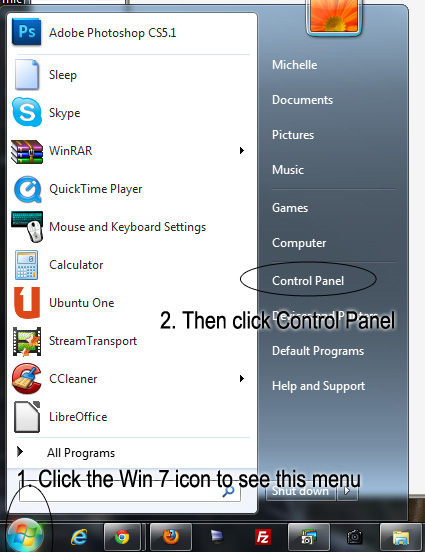
• Click the little Win 7 icon in the bottom left of your main screen
• Now choose (click) “Control Panel” (below)
.
.
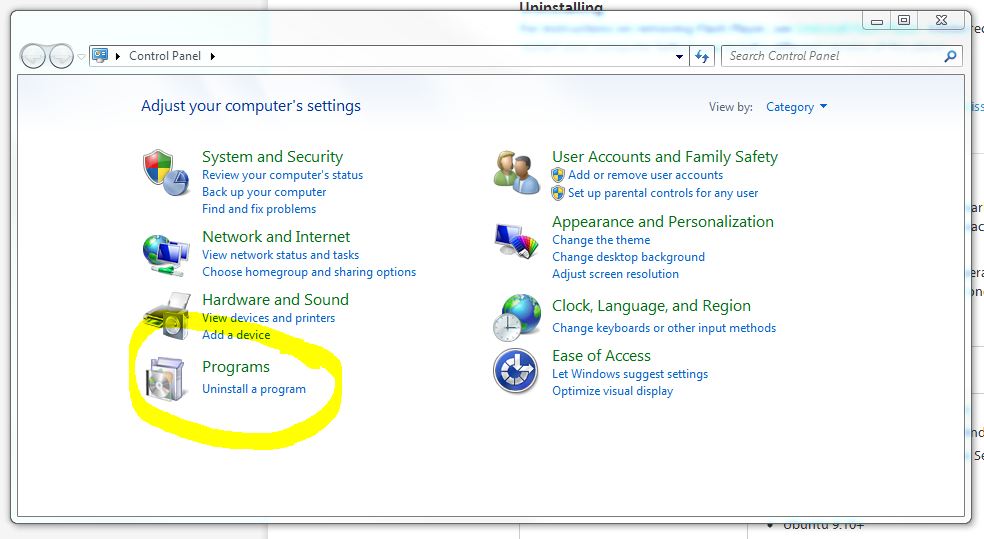
• Choose “Uninstall a Program” (below)
.
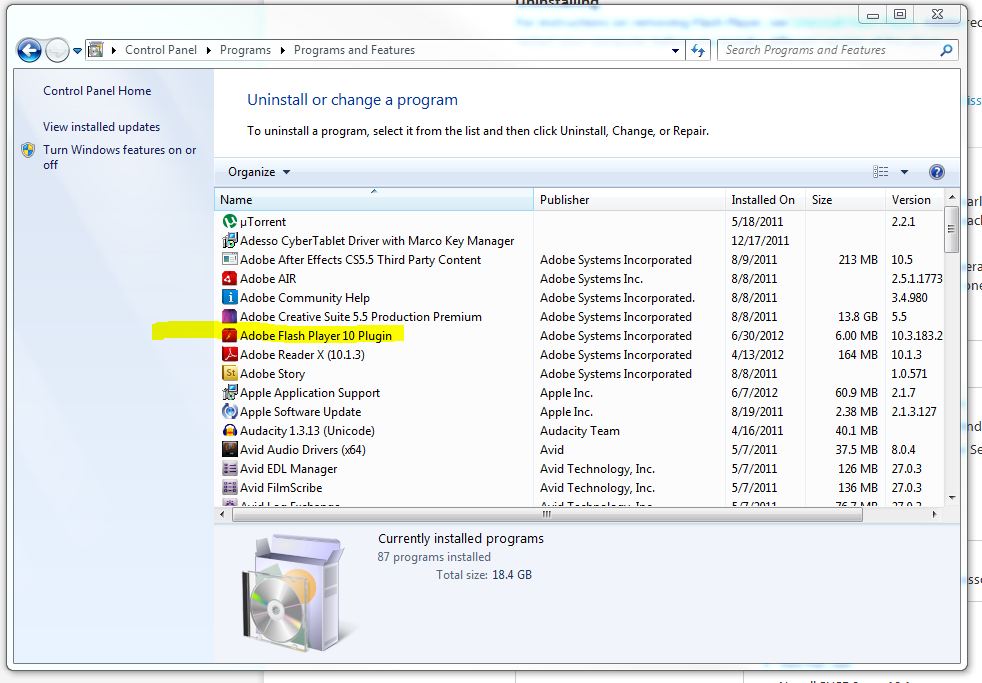
• Click on Adobe Flash Player 11 plugin (My snapshot below shows ver. 10 because I already uninstalled 11 and reinstall 10.3)
.
• Click “Uninstall” in the blue bar above your list of programs
• If Firefox is open, you’ll be prompted to close it. So… close it.
• The bad Flash Player is now bye-bye.
.
2. Download version 10.3 via THIS link which is an official Adobe site of all archived versions
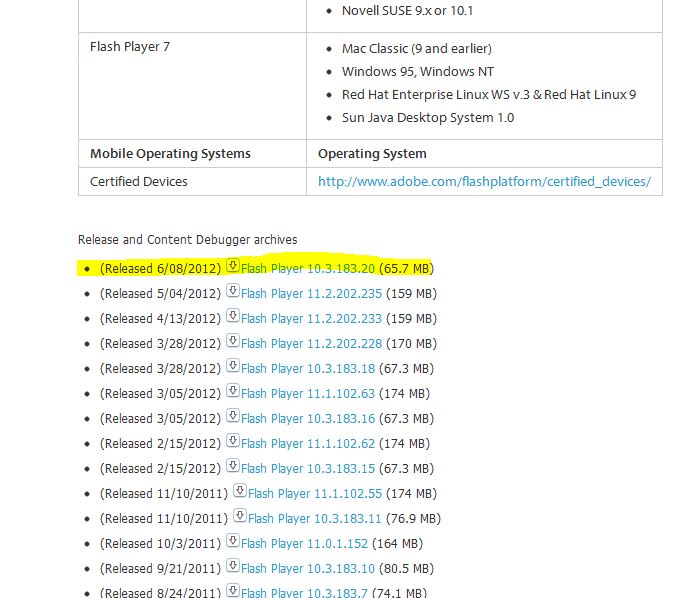
• Scroll down below the chart until you see a list of versions and download links (see image below)
.
• I chose the top one “(Released 6/08/2012) Flash Player 10.3.183.20 (65.7 MB)”
• This will download as a ZIP file. If you do not have WinRAR, it would be a good idea to download that now, or better yet, before you begin this download procedure. Here is the link to download Windows version. Don’t worry about buying anything, just get the free version. Whenever you get the annoying little pop-up prompting you to buy it, just click “close” and proceed on.
• Unzip that puppy
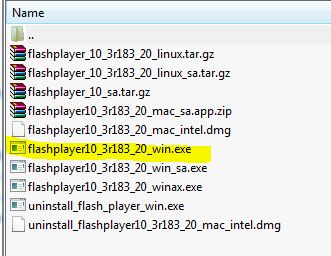
• There are several zip files and executable files listed when you unzip the main file. I double-clicked on the executable file “flashplayer10_3r183_20win.exe” (see image below) and wham-bam-thank-you-ma’am…. Flash Player 10.3 is installed and you may now watch YouTube and other flash formatted videos in Firefox.
.
Any other updates, info fixes, etc. please feel free to comment. I don’t care for “fixes” and would just as soon these two work things out – get a professional counselor or something like that. But sometimes band-aids are necessary.






 Motley News & Politics
Leave a reply to Vyck Cancel reply