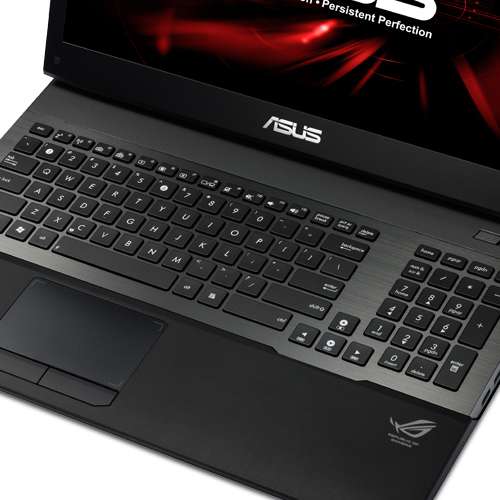
Just yesterday, my newest electronic toy arrived – an ASUS G75VX-TS72 Gaming Laptop – and I’m not a gamer. Then why would I get a gaming laptop?
 The power. The strength. I constantly use the Adobe products such as PhotoShop, DreamWeaver, Premiere, Acrobat X, and a few others. Although with my Creative Cloud membership, I’m able to download and use any Adobe product available. A couple downfalls to Adobe, besides their ridiculous pricing, is that they are memory hogs and poorer quality GPUs don’t care much for them.
I built my desktop (video at the bottom if you want to watch – it’s fun) to handle production software, so it runs multiple Adobe programs very well, but my laptop didn’t. Plus it is several years old now, anyway. I decided to spoil myself and after a couple of very good months work-wise, I was able to do so. I have been eye-balling a few different laptops for a while, and the two requirements were to have either an Intel i5 or i7 processor, and an NVidia GeForce graphics card (GPU). On Friday, a TigerDirect sales email came in and I saw this laptop marked down $250 and just could not pass it up. Plus, no taxes this week. Although I paid for overnight/Saturday delivery as I didn’t want to wait.
Here is what I bought:
ASUS G75VX-TS72 Gaming Laptop – 3rd generation Intel Core i7-3630QM 2.4GHz, 16GB DDR3, 750GB HDD, Backlit Keyboard, 3GB NVIDIA GTX 670MX, Blu-ray Player/DVDRW, 17.3″ Full HD, Windows 8 64-bit
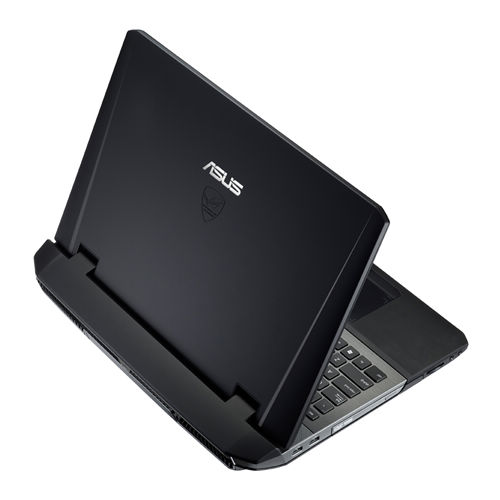 And my review? Five-stars out of five. Mind you, I’ve been loading it up for the past day. My Dropbox, the Adobe programs, Chrome and Firefox, Notepad++, Greenshot (I LOVE Greenshot – it is a screenshot tool that provides excellent editing to any screenshot you take, plus a bunch of other stuff), KeyPass, Kaspersky, and a plethora of other items I use. Now that I have pretty much everything on it, I love it! It is so FAST!!!! Photoshop actually opens slightly faster than my desktop, as does Adobe Bridge, which seems to take forever on my desktop. The design and physical appearance emanates quality. Rather than the hard shiny casing, this one is softer and non-slip. Plus the way the monitor pulls up provides more balance so that it is more difficult for it to tip backwards. Then there is the fan noise – there isn’t any. Quiet as can be. Plus the keys are equally as silent and feel very natural and comfortable as I type.
When I purchased it I also bought a copy of Windows 7 as I wasn’t thrilled at the idea of having Win 8 on it – although I planned to try out Win 8 for shits and giggles before installing Windows 7. And guess what?
Win 8 is still on it, and I’m returning the Windows 7 to TigerDirect. Win 8 really is not that bad at all. In fact, I rather like it. Sure, some simple processes are not as straightforward to complete as they are in Win 7. For example, shutting down. On Win 7, just click the Windows icon in the bottom left corner and choose “shutdown.” Now, in Win 8, to shut down the computer, you have to hover in the upper right corner until the task icons appear. Select the Settings icon then choose “Shut down” once you arrive on the Settings page. Not having the Windows Start icon in the bottom left corner is rather odd. I keep reaching down there and end up opening Internet Explorer since that is the item I have pinned to the taskbar in that location.

The items I have found to like in Win 8 are some of the apps, such as the news and maps. I got rid of the “People” app as I don’t care to connect via all the social media to other people. Using Facebook and Twitter in a browser is just fine for me. Another plus is Win 8 now has a built in program to open zipped files. In Windows 7, you must download and use WinZip. Although it works fine, there is this horribly annoying pop-up that appears every time announcing that you will need to purchase WinZip. But that is one of the biggest lies on the internet. Sure, you can buy it and rid yourself of that pop-up, but WinZip will continue running and not shut down like must programs do after the trial period runs out. So when downloading many fonts, it was very nice to not have that pop-up every single time I downloaded a new font – which I’ve downloaded close to 100 so far.
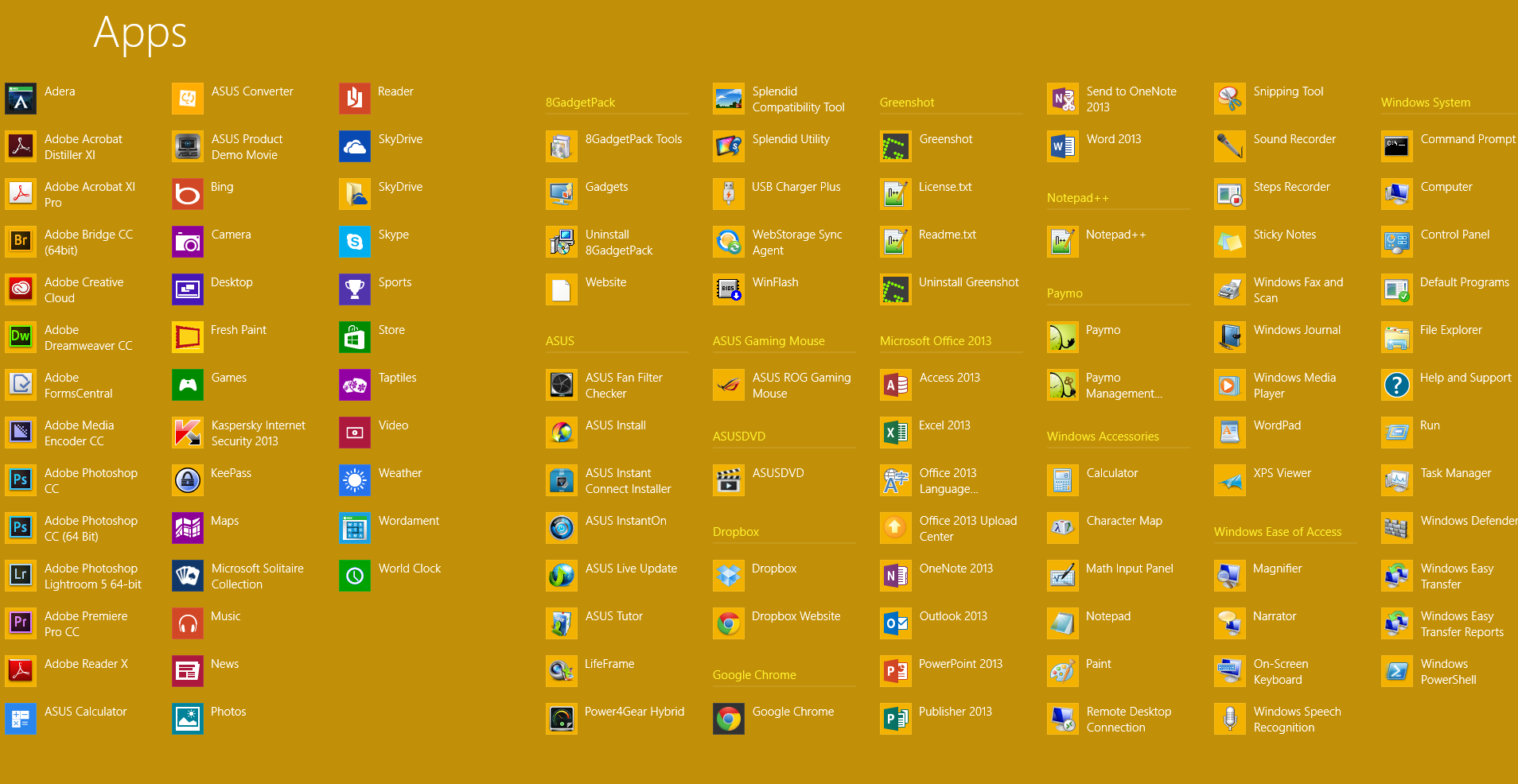
I do like the page that shows all the apps. It is much easier to find a program, app or accessory than it is using Windows 7.
Overall, I am entirely satisfied and very pleased with this laptop and am finding that I like Win 8. I would hope so. This laptop actually cost me a bit more than it cost me to build my desktop, which is pretty much it’s equal when it comes to hardware. Although I cannot add internal drives to my ASUS. Naturally there are limitations with laptops, but performance-wise, I’m glad a spent every cent. If you want to know the price, just go to TigerDirect to read up on it. So far, I am finding it to be worth every penny I spent.
Now, back to exploring my new laptop.
Video I made of building my “Dream Machine”:
[youtube https://www.youtube.com/watch?v=ULRs-BG91tc]






 Motley News & Politics
Leave a reply to ASUS LAPTOP 2014 Cancel reply